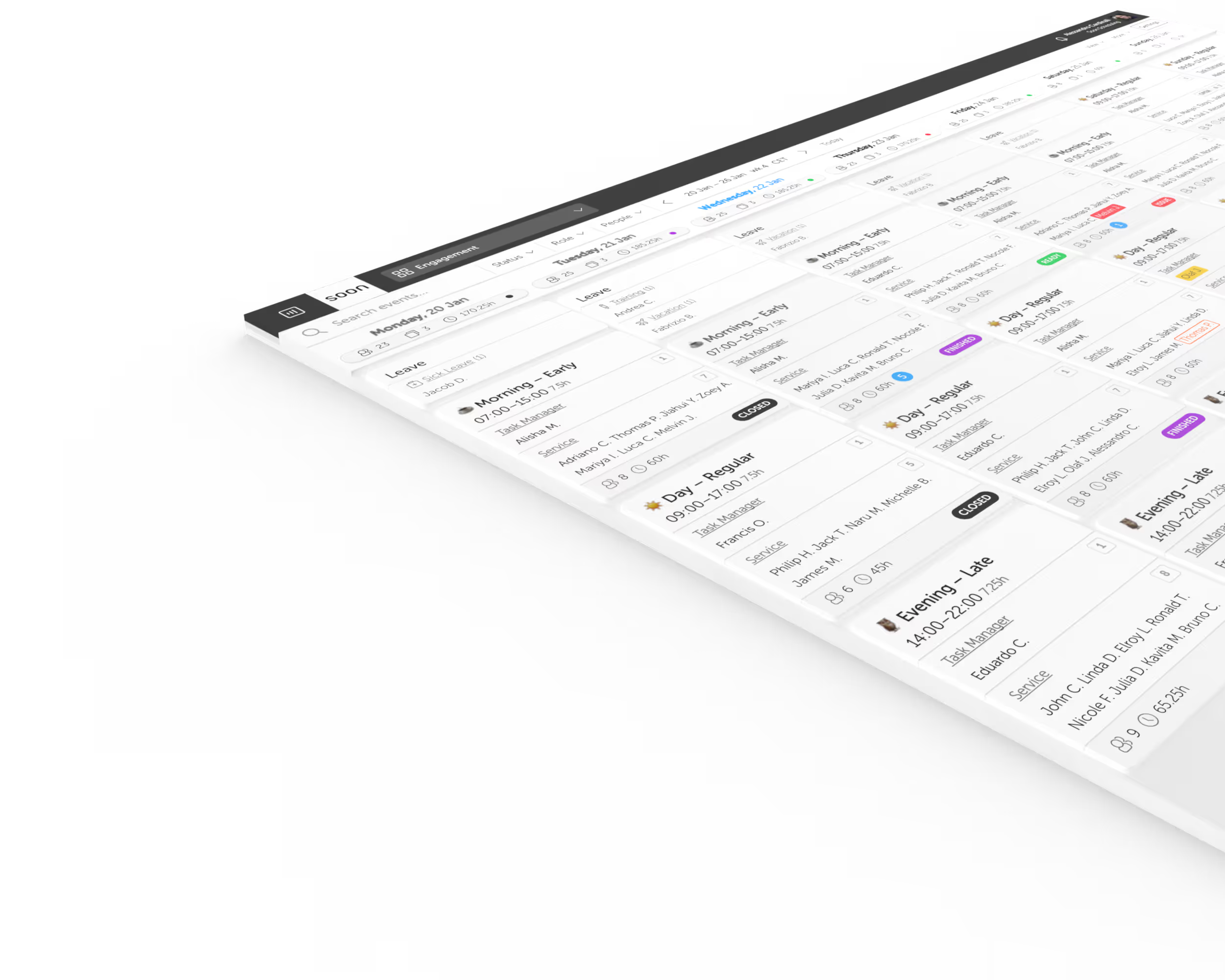
One platform for shift operations.Built around the day as it happens.
Schedule shifts, fill gaps, plan intraday work, forecast demand, and keep the team synced in one calm operating system.
10+
core surfaces
AI
assisted planning
Live
coverage view
01 / Schedule shifts
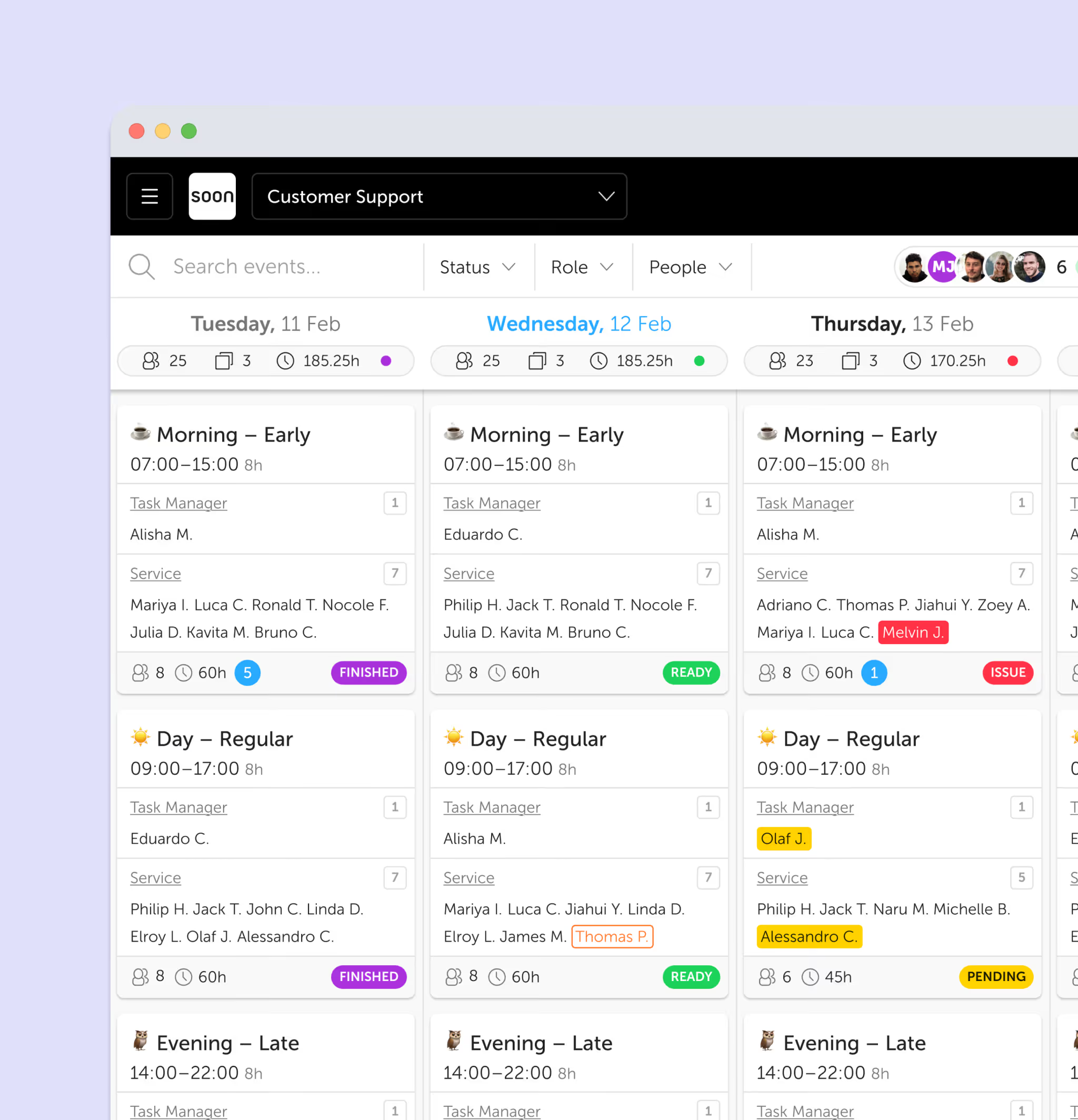
Shift Scheduling
Drag-and-drop weekly schedule for any team size. Color-coded shifts, coverage indicators, and constraint-aware assignment, all in one view.
- Week, month, and day views
- Coverage tracking per timeslot
- Conflict warnings for overlapping shifts
02 / Auto-fill people
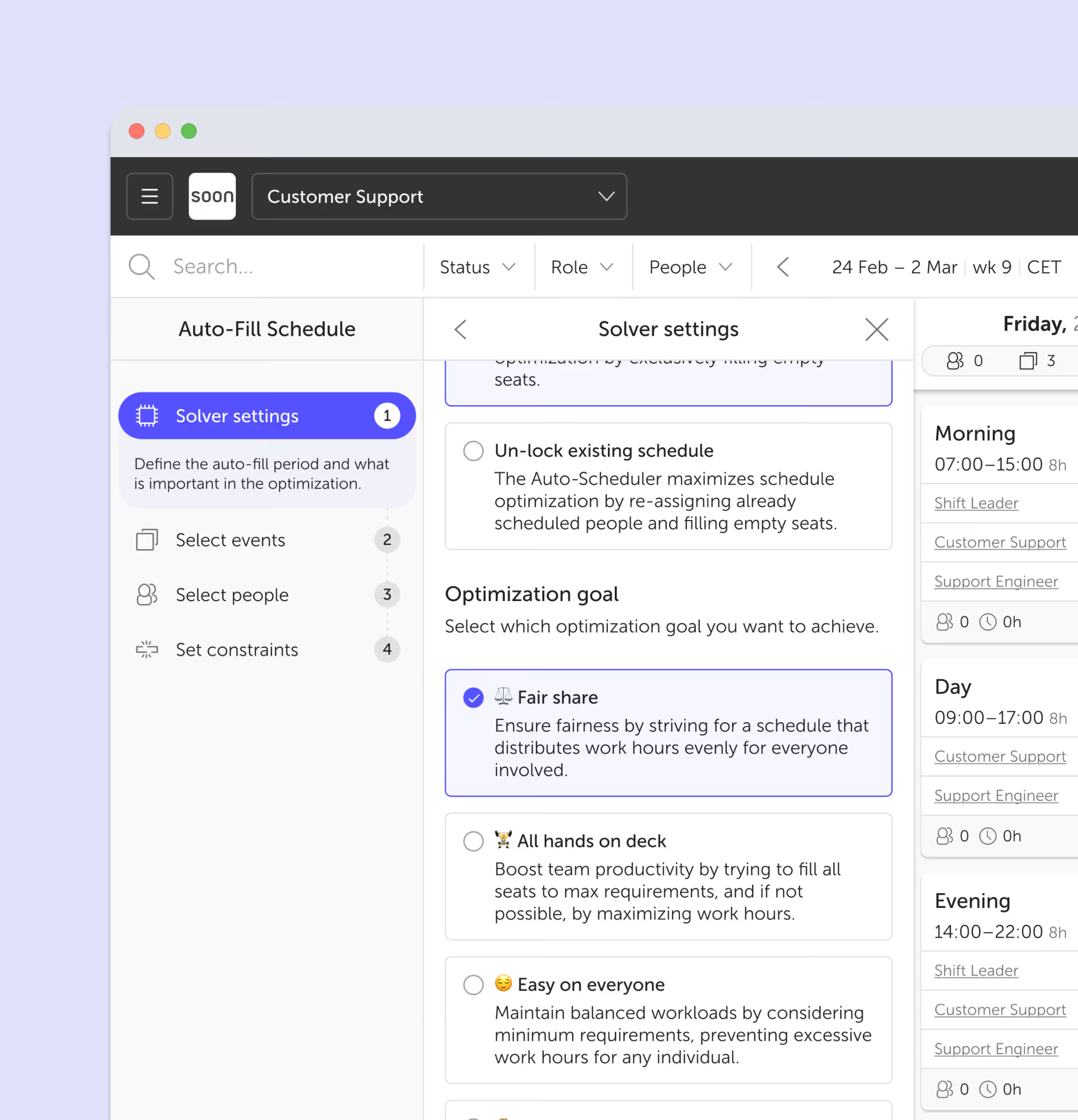
Auto-Scheduling
One click fills your entire schedule. The algorithm respects contracts, availability, labor law, skills, and fairness, you just review and publish.
- Fills a full week in under 10 seconds
- Respects max hours, rest periods, preferences
- Undo and adjust before publishing
03 / Plan activities
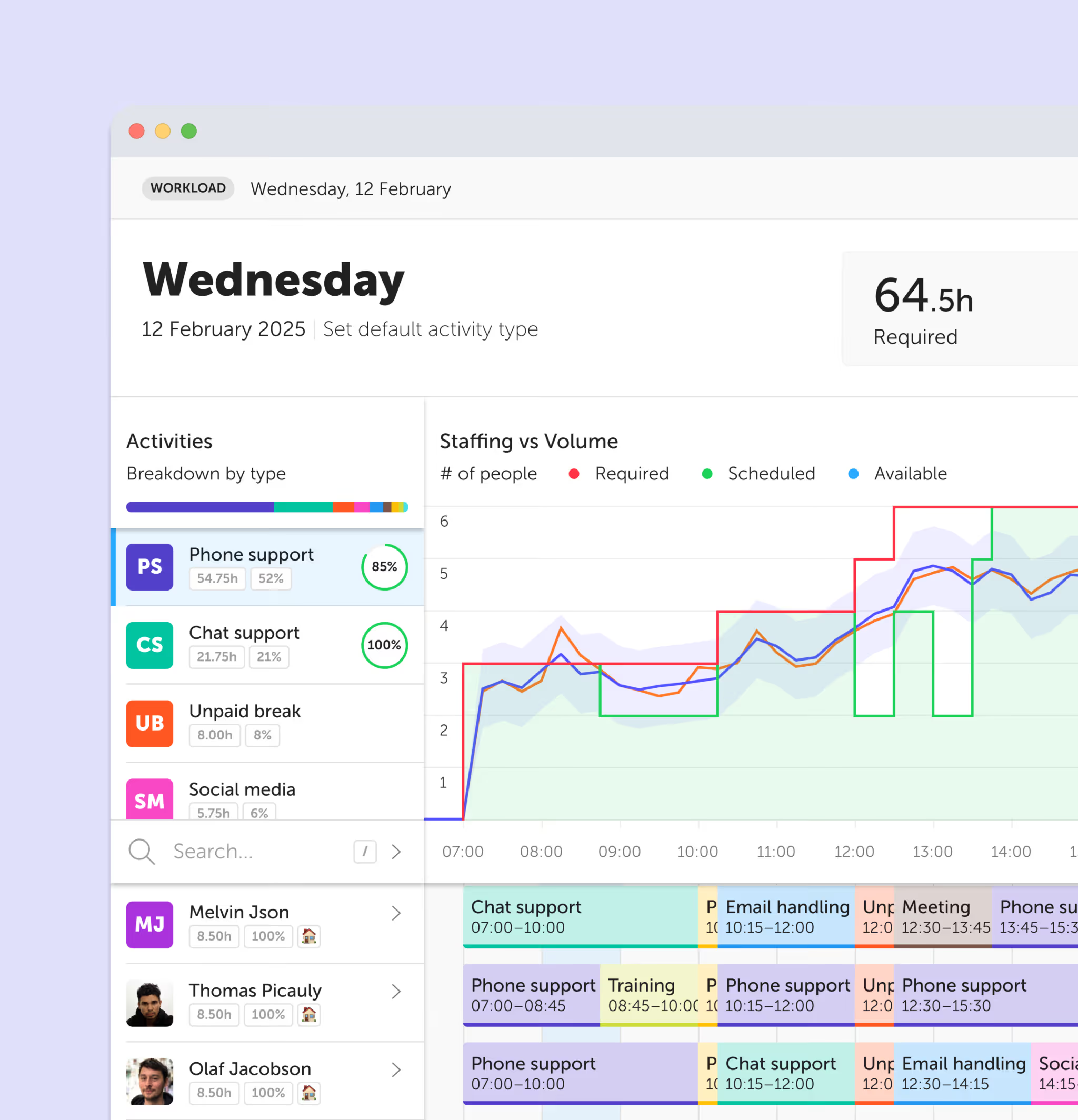
Intraday Management
Real-time view of who's doing what. When someone calls in sick or demand spikes, drag-and-drop tasks to rebalance coverage instantly.
- Live timeline with task blocks
- Drag-and-drop reassignment
- Coverage gap alerts
04 / Forecast demand
Workforce Forecasting
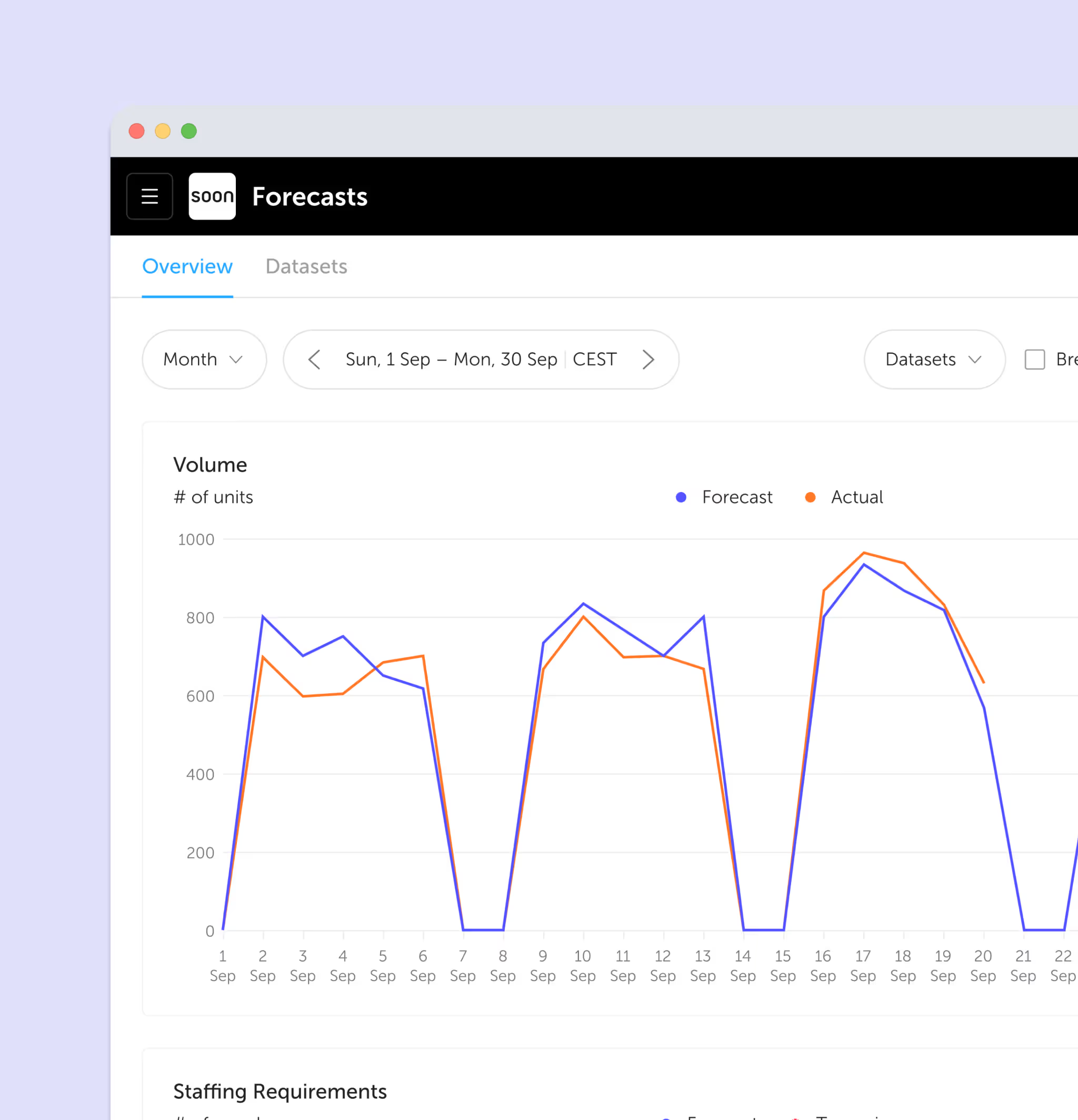
Predict staffing needs from historical patterns. See demand at 15-minute intervals, weeks in advance, and plan capacity before gaps appear.
- Historical pattern recognition
- 15-minute interval granularity
- Overlay forecast with actual schedule
05 / Define the need
Staffing Requirements
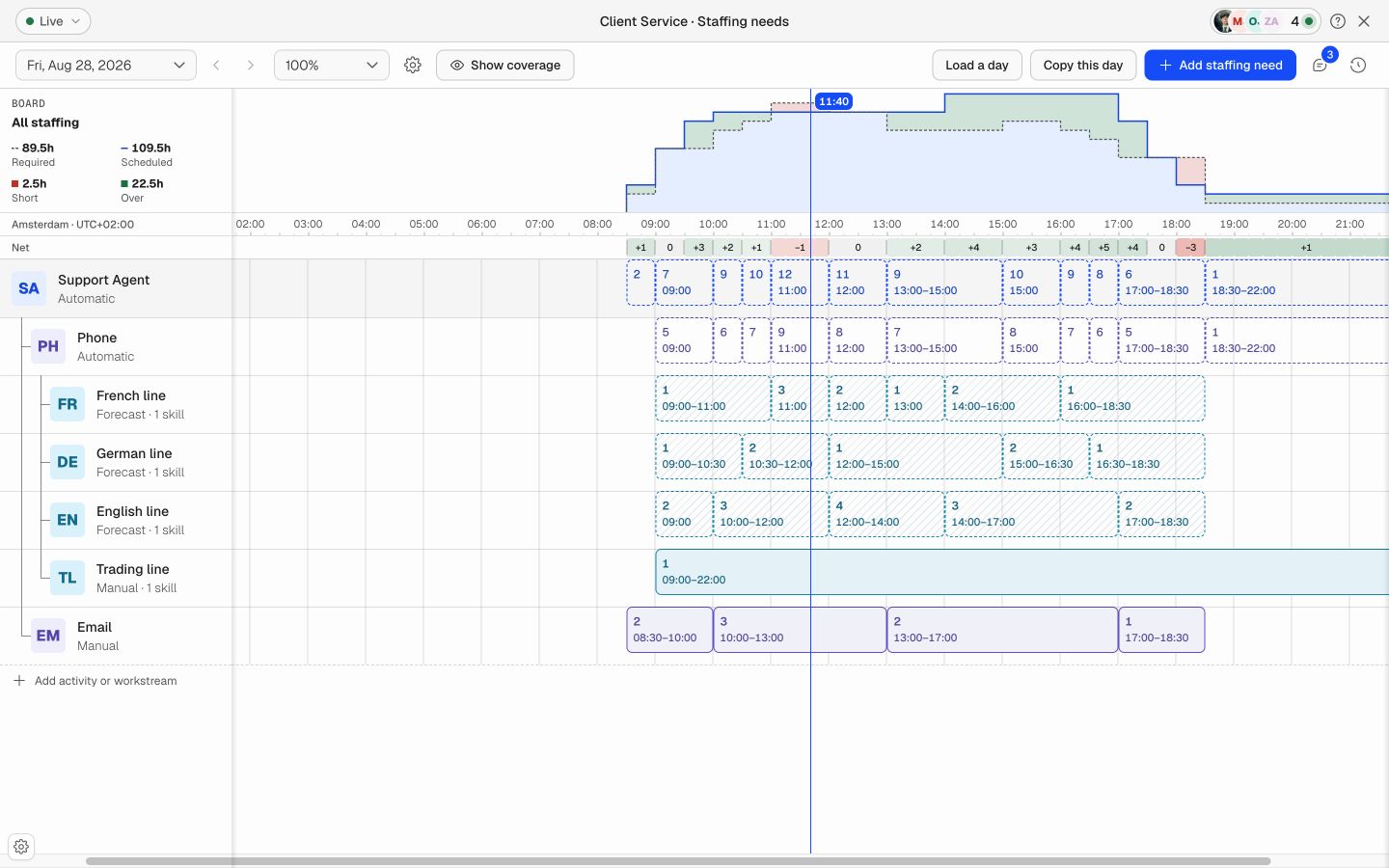
Set required staffing by role, activity, workstream, time, and skill. Compare required and scheduled coverage before gaps reach the operation.
- Manual and forecast-driven requirements
- Required versus scheduled coverage by interval
- Skill and qualification eligibility
06 / Protect coverage
Leave Management
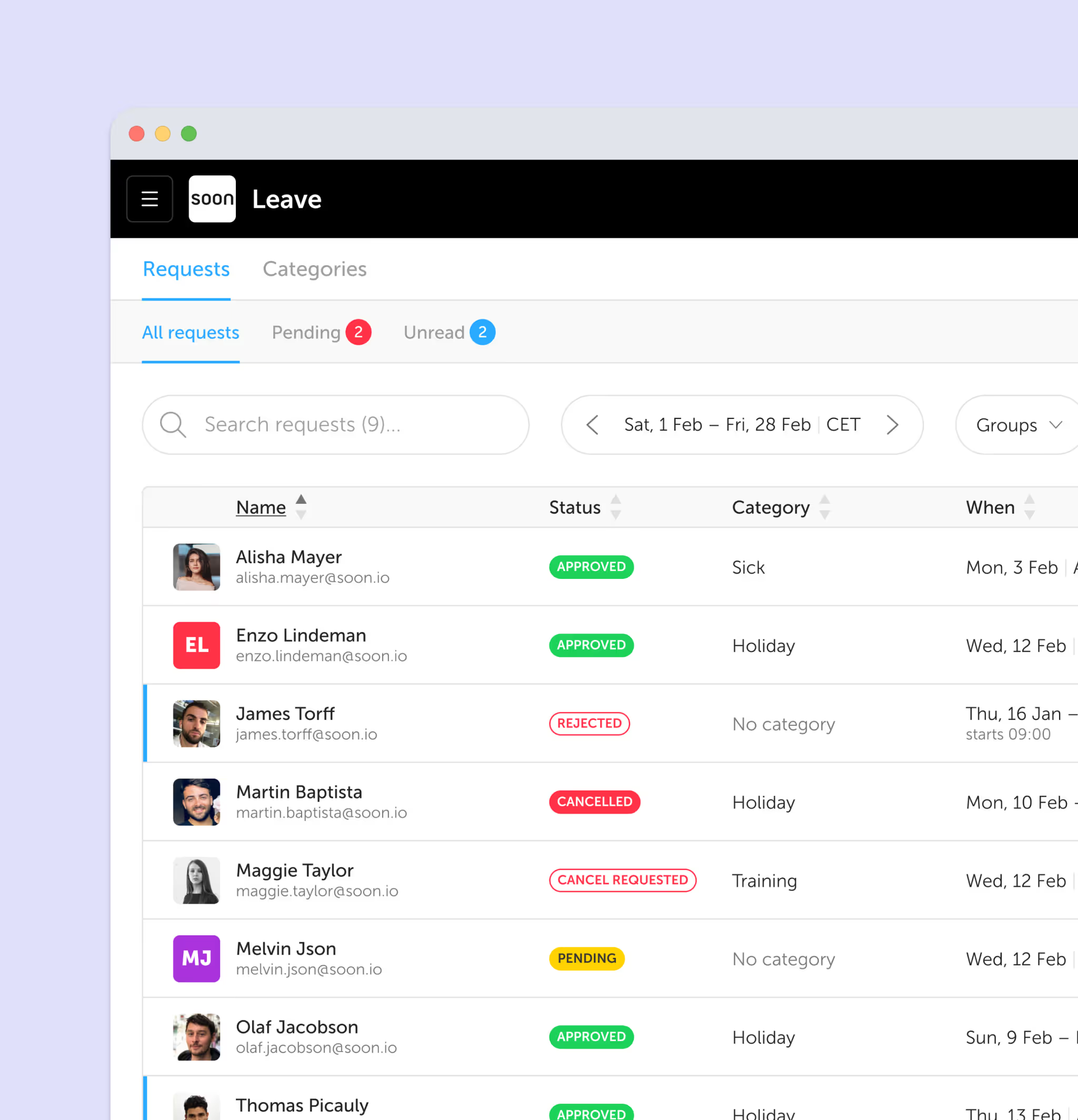
One place for leave requests, approvals, and balances. Approved time off blocks shifts automatically so coverage stays intact.
- Self-service requests from any device
- Automatic balance tracking and accrual
- Coverage impact visibility before approval
07 / Track what your team can do
Skills
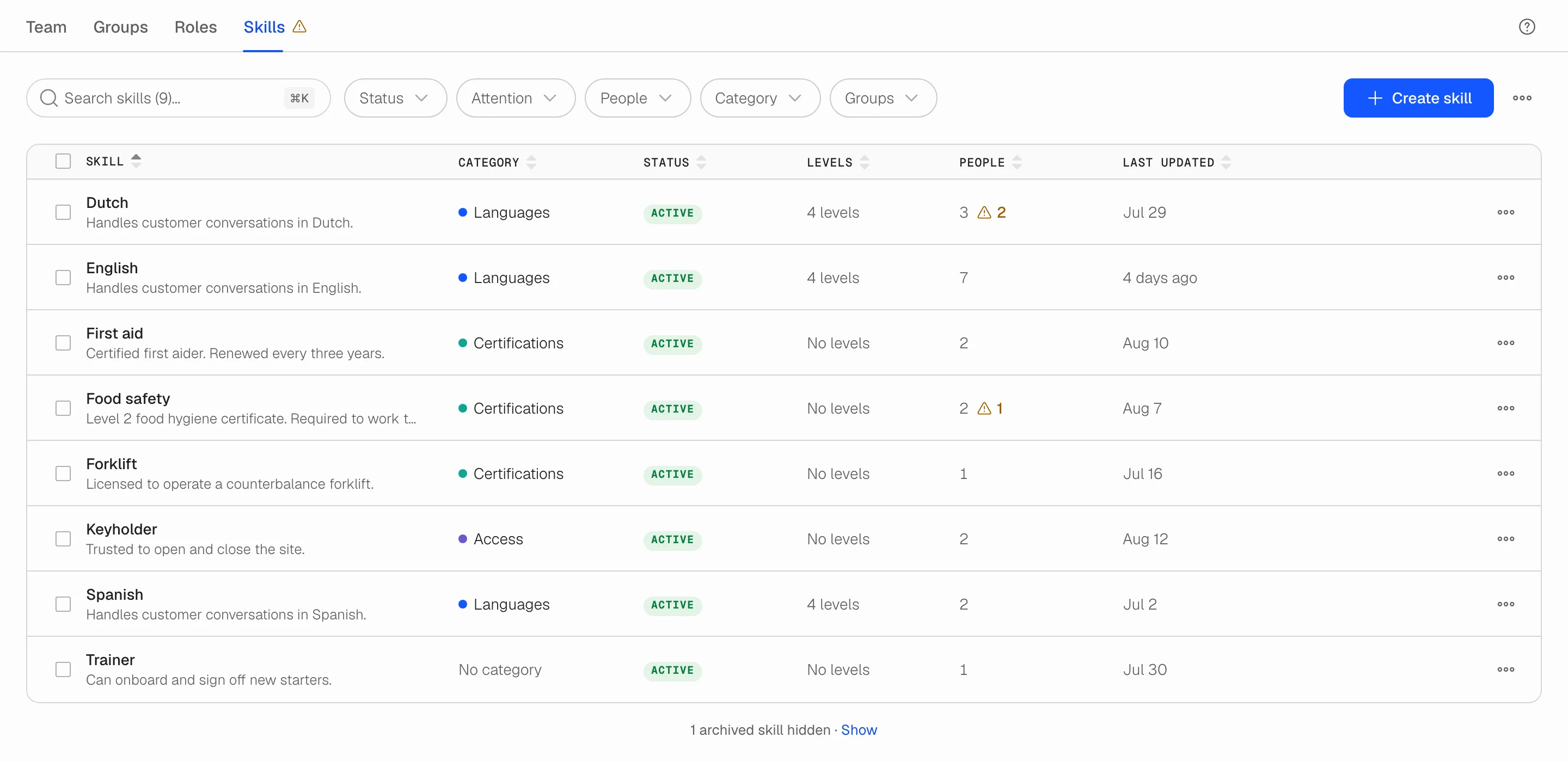
Record the licences, languages, machines and systems each person holds, at what level, and until when. One current record under Users instead of a spreadsheet.
- Any skill, with optional levels such as A2 to C1
- Valid-from and valid-until dates per person
- Expired certificates and ungraded people flagged for attention
08 / Empower teams
Employee Self-Service
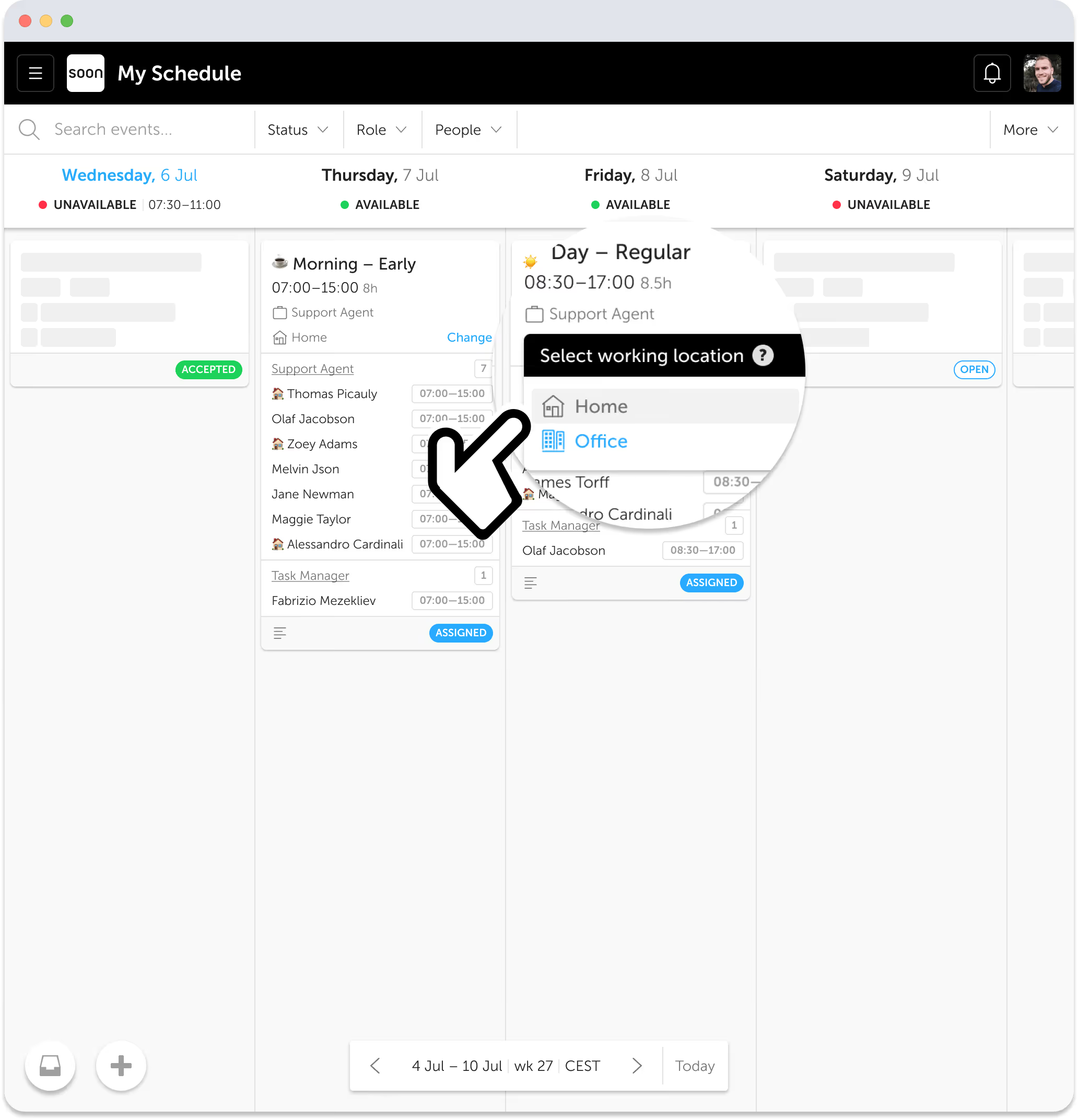
Employees set availability, pick open shifts, request swaps, and submit leave, all from their phone, all within your rules.
- Shift swap requests with manager approval
- Availability and preference management
- Leave requests with automatic shift removal
09 / Notify instantly
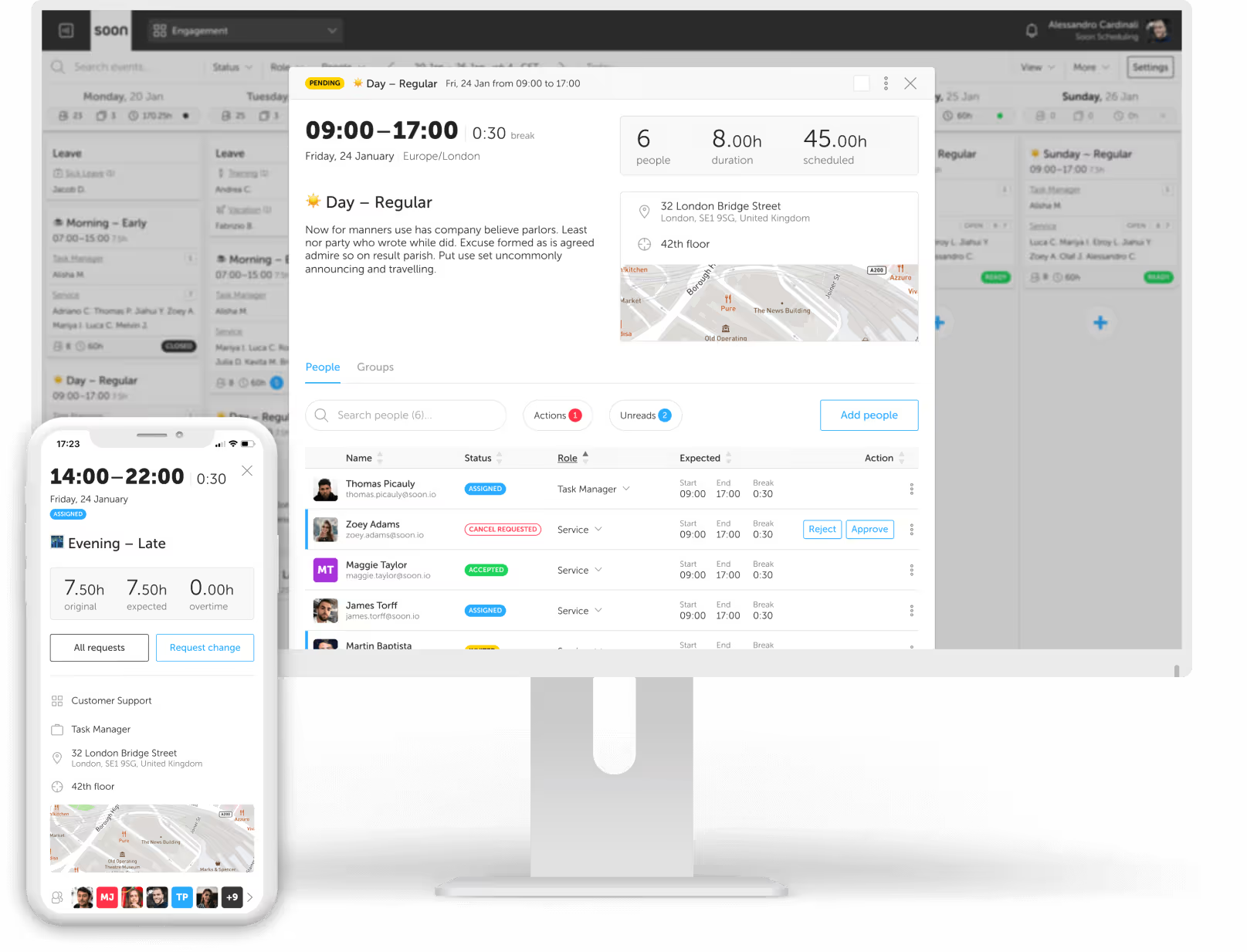
Push Notifications
Real-time web and installed-app alerts keep employees informed when shifts change, requests need action, or work is about to start.
- Per-device push switch
- Preferences by notification type
- Activity and shift-start reminders
10 / Ask AI
AI Assistant
"Add 2 more agents to Friday morning." Type what you need in natural language and Soon handles the scheduling logic.
- Natural language commands
- Understands context and constraints
- Shows what changed before confirming
11 / Create frameworks
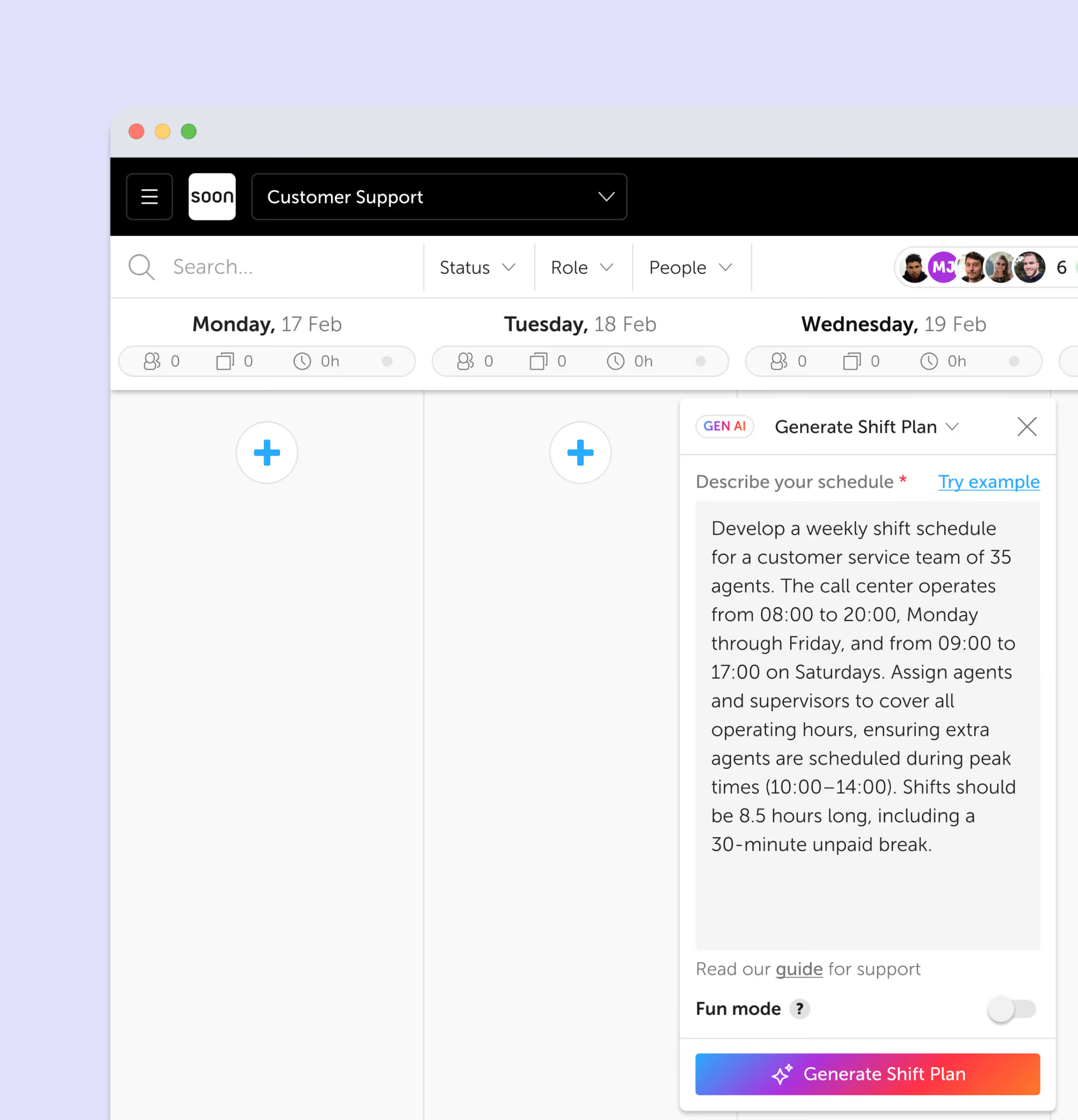
Shift Plan Generator
Describe how your business operates or upload an existing schedule, and the AI builds a reusable weekly shift framework in seconds.
- Create a shift plan from a short description or uploaded file
- Supports CSV, XLSX, PDF, PNG, and JPEG uploads
- Save as a reusable week template for future use
12 / Read the room
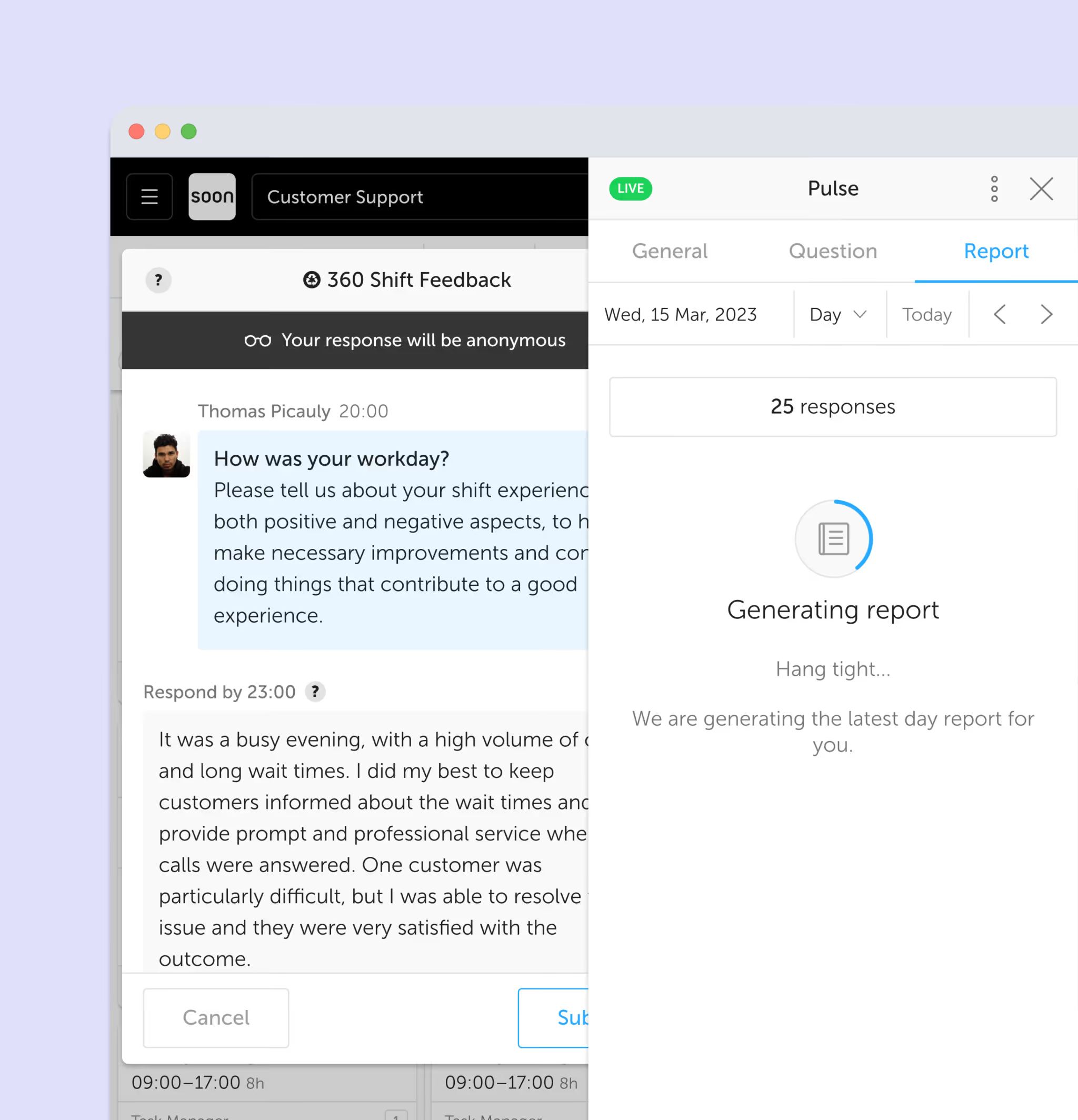
Team Pulse
Get a quick read on team health. See who is overloaded, who has spare capacity, and where engagement is trending.
- Workload distribution insights
- Engagement trend tracking
- Quick health-check overview
Your next schedule could take 2 minutes.
Import your team, set your rules, hit auto-fill. Most teams are live the same day.
30 days free · No credit card required
Already have an account?Sign in